From a planned treatment
to a complete entry.
Choose your fields and crops, add products and doses, then save the date and details. The treatment goes into your Journal, where you can find it again in the calendar, in the full list or with filters.
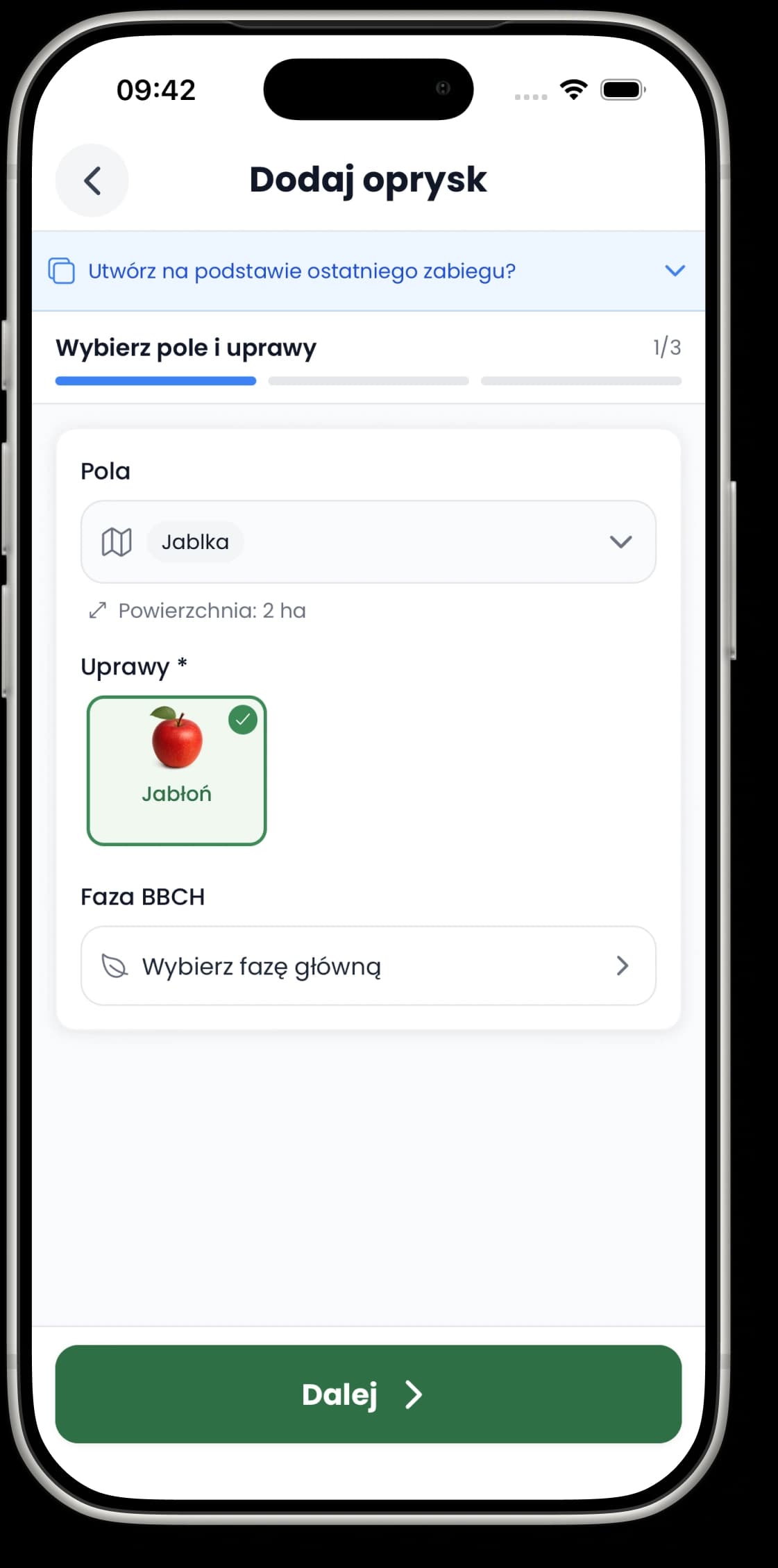
Three steps instead of one long form.
Spraying, fertilising and fertigation are all recorded in the same clear flow. Each step collects a different part of the information.
Field, crop and area
Select one or more fields. The form brings in the crops assigned to them and can add up their area, which you can still adjust to the area you actually treat.
Reason, products and doses
Pick the pest, disease or weed you are treating, or type in your own reason, then add products from your collection and their amounts. The calculator can work out product and water without leaving the form.
Date and confirmation
Set the status, date and time. Depending on your preferences, you can also add the worker, weather, duration, a reminder, a note and photos.
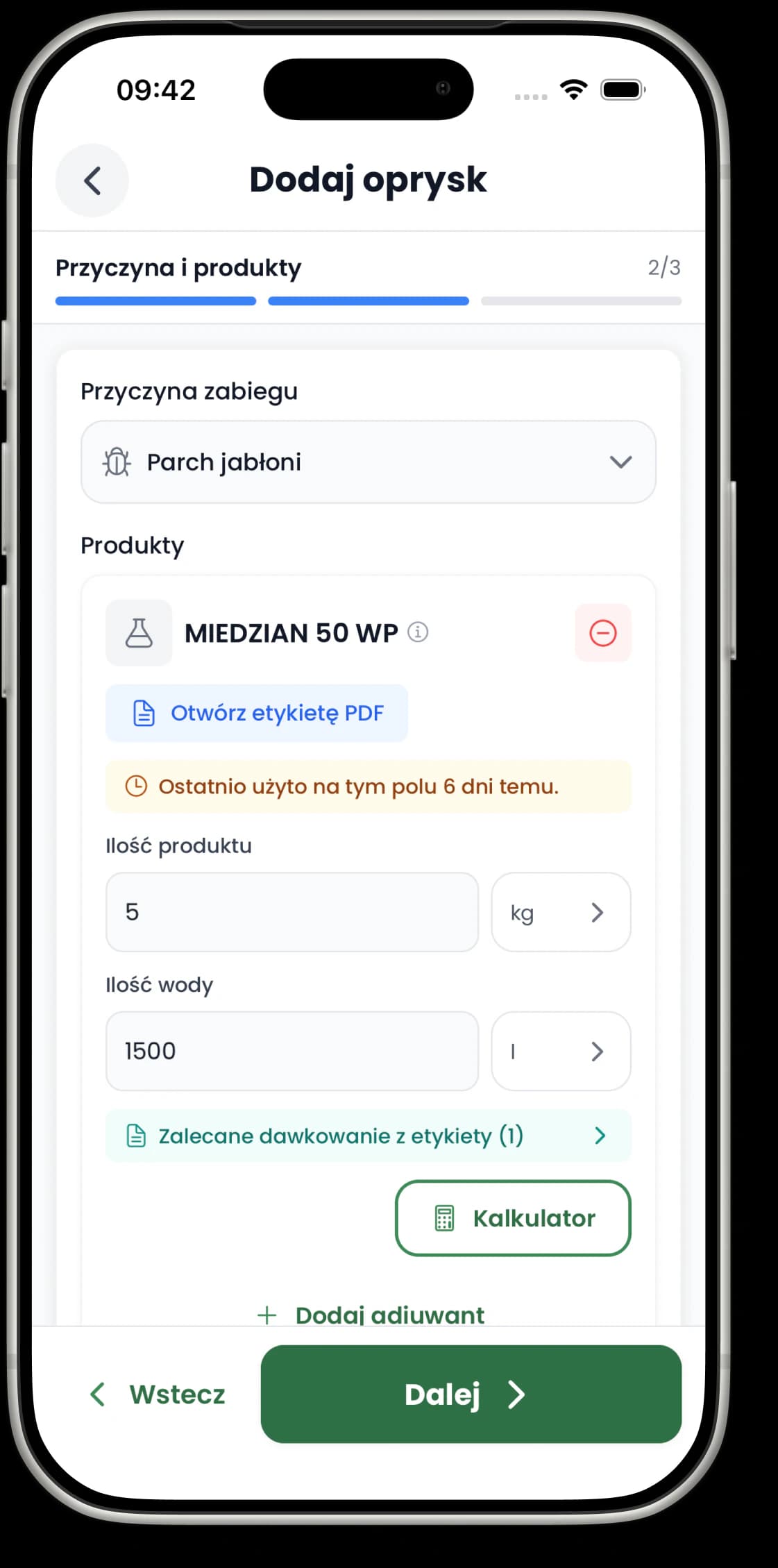
The form uses what you already know about your farm.
Your fields bring in the crops and the area, your collection supplies the products, and earlier entries help you fill in the next treatment faster.
Start from an earlier treatment
When you create a new entry, you can pick one of your recent treatments and start the form from its fields, products and saved settings. The new entry keeps its own date and status.
Work out the dose next to the product
The calculator uses the treatment area or a target amount of water. Apply the result and it fills in the form for you.
Plan it, or record it as done.
A treatment can be planned or completed. For a planned entry you can set a reminder, then mark it as completed once the work is done. Days with entries are marked in the Journal calendar.
The calendar or the full list.
The Calendar view focuses on the day you pick, and the All view shows your whole entry history. Open an entry to check its details, edit it or create another treatment based on it.
Find exactly the entry you need.
Filters narrow down your whole Journal. Active filters stay visible above the list, and you can remove them one at a time.
Date and status
A date range, and planned or completed entries.
Fields and crops
One or more places and the crops assigned to them.
Products and worker
A specific product, or the person who carried out the treatment.
Method and entry type
Spraying, fertigation, granular, soil drench or another kind of entry.
Plant protection only
A separate switch for treatments with plant protection products.
Before you start
Do I have to choose a field?
Can I record one treatment on several fields?
Can I copy an earlier treatment?
Does it work on a computer?
Record your first treatment. The next ones will be quicker.
Add a field and a product, work out the dose, set the date and come back to the entry whenever you need it.
Up to 3 entries on the free plan. Pricing