The dose from the label.
Amounts that fit your treatment.
Enter the product and water rates, and the calculator works them out for your area or for the amount of spray you want to mix. Use it while you add a treatment, or for a separate calculation.
The calculator is in the app on your phone and on your computer.
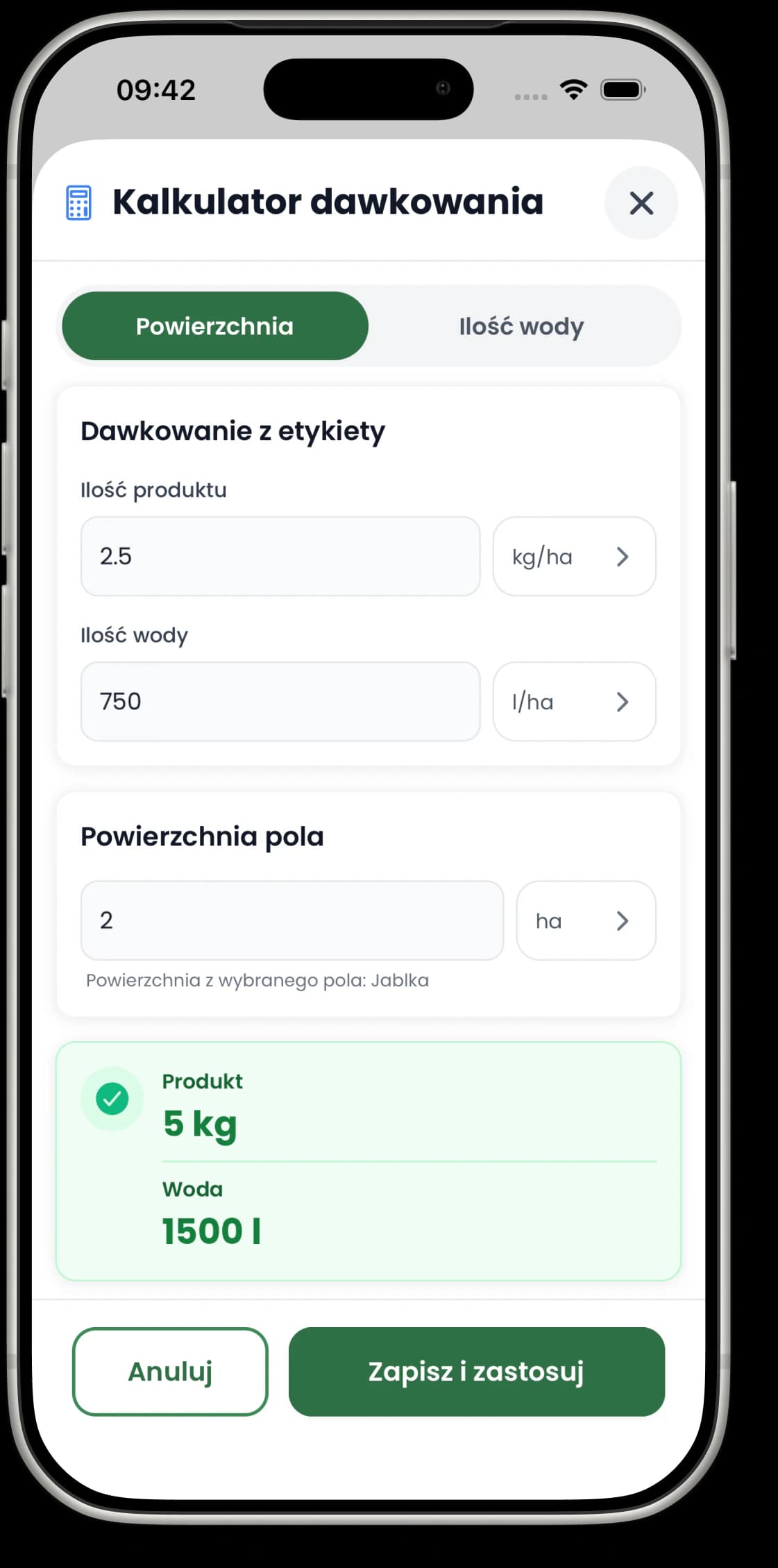
The same calculation, in two handy places.
Use the calculator in the treatment form when you are recording a treatment, or on its own when you just want to work something out.
In the treatment form
Calculate and apply straight away
The calculator opens next to the product you choose. It uses the treatment area, and the result fills in the product amount and, where relevant, the water in the form.
In the Journal and the More tab
Calculate without creating an entry
The standalone calculator works separately from any treatment. Open it from the icon at the top of the Journal or from the More tab.
When you know the area.
Enter the product and water rates per hectare or per 100 m². Give the area in hectares, ares or square metres, and the calculator shows the total product, the total water and the converted area.
In the treatment form, the area can be suggested from the fields you picked, but you can still enter just the part you actually spray.
When you know the amount of water.
Enter the product-to-water ratio from the label and how much spray you want to mix. The calculator works out how much product you need and the area that spray will cover at your water rate.
This mode is available for treatments applied as a liquid. For granular application, the calculator works by area.
Add your sprayer capacity to get a tank fill plan.
In the standalone calculator, sprayer capacity is optional. When you enter it, the result splits the job into full tank fills and a last partial one, and shows how much product goes into each.
The result includes
- the total amount of product
- the total amount of water and the area
- the number of full tank fills
- the water and product for the last fill
Before you start
Is the result saved as a treatment?
Which units does the calculator support?
Does the calculator replace the product label?
Need step-by-step instructions?
The guide walks through the calculator in the treatment form and the standalone one, both ways of calculating and how to apply the result.
Open the calculator guideWork out the dose where you need it.
Do a quick calculation on its own, or apply the result directly while you add a treatment.
Up to 3 entries on the free plan. Pricing